
Registration
What creating an account actually involves
Sign-up on these platforms is short by design: a phone number, a password and a code. The brevity is a conversion decision, not a safety guarantee, so here is what each step means.
What the screen looks like
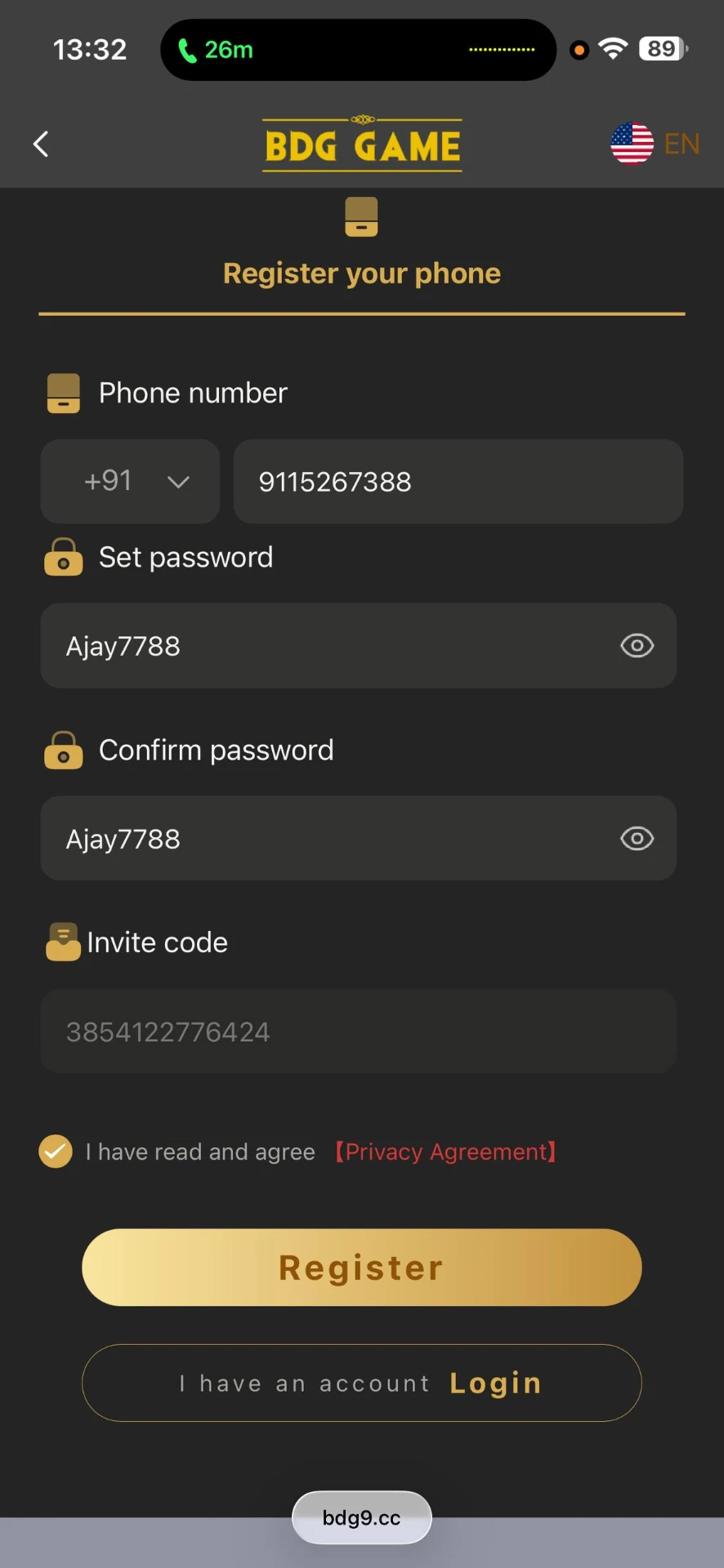
Example registration screen: phone number, password, confirm password and an optional invite code.
The usual flow
- 1Open the sign-up page from an address you typed into the browser yourself.
- 2Enter a phone number you control and can receive text messages on.
- 3Choose a password you do not use on any other service.
- 4Confirm the number using the one-time code that arrives by message.
- 5Decide about any promotional offer only after reading its terms.
- 6Store the credentials in a password manager rather than a notes app.
What the form is really collecting
A phone number is a durable identifier: it links your account to your device, your messaging apps and often your payment methods. Once submitted it can also feed marketing lists. Treat it as the meaningful piece of personal data in this flow, not as a formality.
Welcome bonuses, read carefully
- •Bonus credit is normally play-through money, not cash you can withdraw.
- •Turnover requirements decide how many times the amount must be staked first.
- •Caps limit the real value regardless of the headline number advertised.
- •Expiry dates quietly remove unused bonus balance after a set window.
- •Accepting a bonus can restrict withdrawals until its conditions are cleared.
Red flags during sign-up
- •A registration page that asks for card details before an account exists.
- •Any fee to activate, unlock or verify a brand-new account.
- •A page reached only through a forwarded link, a shortened URL or a chat group.
- •A domain that looks familiar but carries extra words, hyphens or an unusual ending.
- •Pressure framing — countdown timers on a sign-up form exist to stop you reading.